

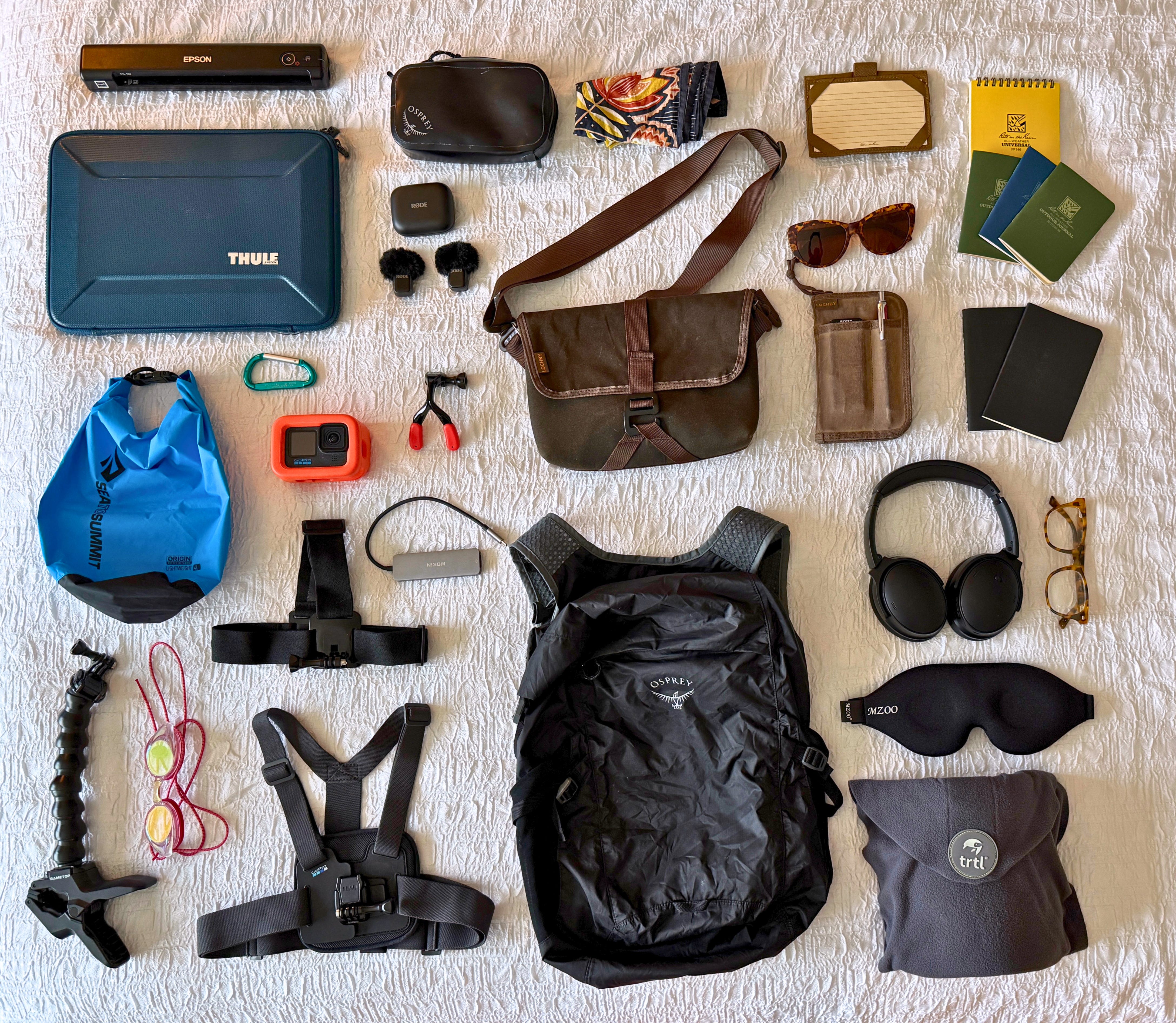
This winter, a week-long reporting trip in Oahu required immersive reporting in tricky conditions: Video interviews on a beach with wind and background noise; filming in a pool, while treading water in two-foot waves, and while surfing.
For reporting on whitewater river trips, I have used a waterproof housing for my iPhone. It was big and clunky, but I could stuff it in my PFD and pull it out quickly, though it came at the expense of paddling. For filming while fishing and surfing, I needed a hands-free device.
Waterproof gear for hands-free filming
In Alaska, I used the GoPro Hero12 Black for some of the footage on this Food & Wine film about commercial fishing. It’s waterproof and fully submersible without a waterproof case, and has voice-commands that allow you to start and stop filming without pressing a button.
For Hawaii, I borrowed a GoPro GoPro Floaty case from my good friend Ian Highlands, a surfer and one of the best professional outdoor adventure sports photographers I know. (See his work on Instagram @ianhighlands.)
Generous friend that he is, Ian gave me a Pro Standard Grill Mount 3.0, a mouth mount for hands-free filming of POV shots. It positions the camera around chin-level. Which works for surfing, but if you’re treading water, the lens pops in and out of the water (a head mount would work better). On the surfboard, I was too nervous about wiping out, getting pounded, and losing the camera in a gasp for air. I loaned it to a Hawaiian surfer with better skills and no such concerns. Here’s his video:
For self-facing surf shots, I used an articulating Gooseneck clamp mount from Amazon that clipped onto the nose of the longboard. The waves knocked it down during the paddle-out, and it fell off in at least one wipeout, but the Floaty case — hunter orange — made it easy to spot and retrieve. Below is a video shot with this setup.
For iPhone videos with higher quality audio, Ian loaned me a RODE Wireless Micro 2-Person Ultracompact Wireless Microphone System, a bluetooth lav mic that was intuitive and came with little furry windshields that cut down on wind noise. If I have to do more iPhone interviews, I’m going to buy one for myself. The RODE app also enables you to simultaneously use your phone’s front and rear cameras to film a video interview of two people talking on a split-screen. (I can’t share any of these yet.)
Pro Tip: At the end of your trip, take a photo
At the end of reporting trips requiring a lot of gear, I lay out the gear that actually got used and take a photo, which serves as a packing list for my next trip. For this trip to Hawaii, I used my Alaska gear photo and packing list.
Here’s the photo and full gear list (with links) from the Hawaii trip:
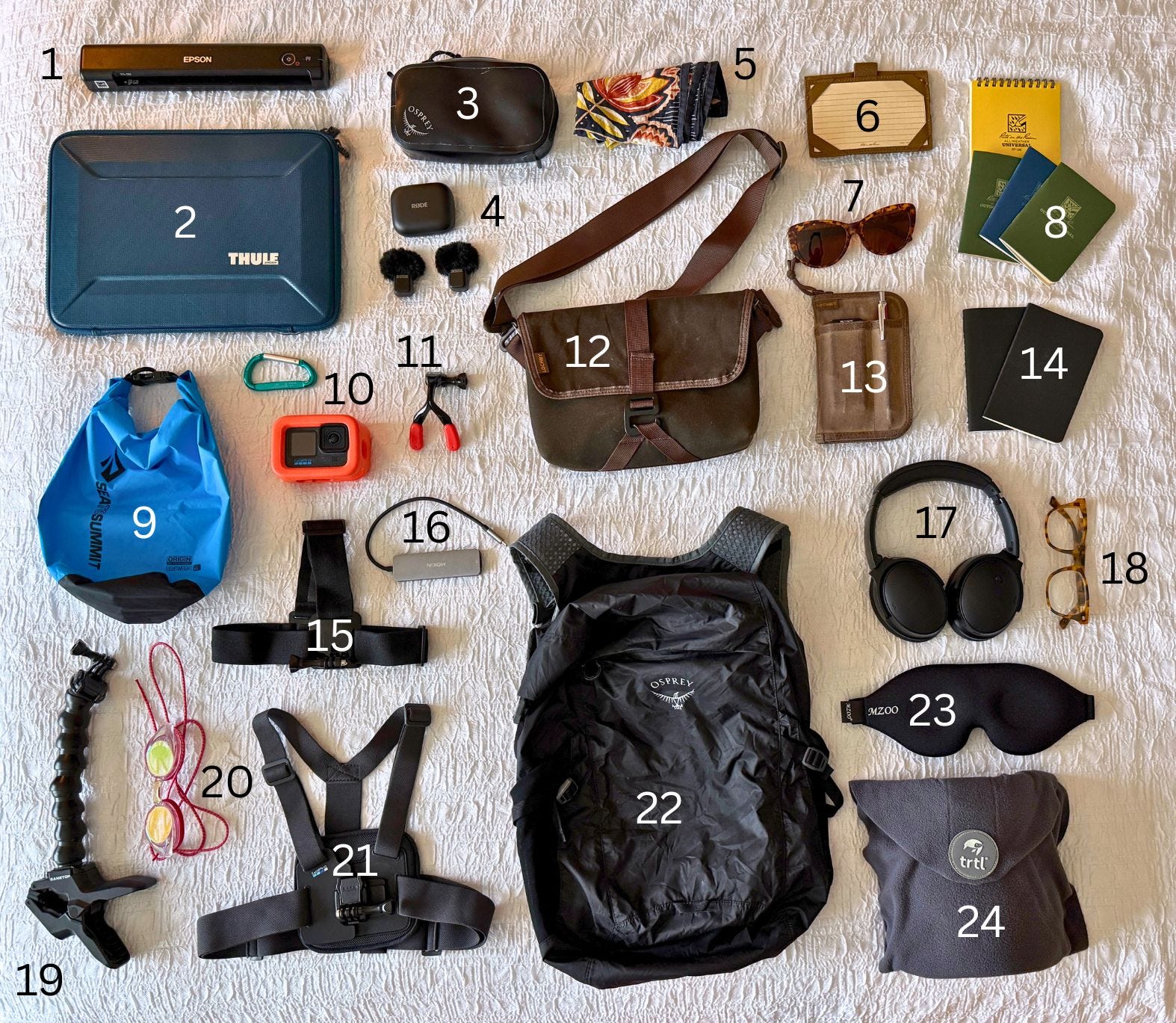
Epson WorkForce ES-50 Portable Color Document Scanner. I usually rely on the ScannerPro app on my iPhone, but this is quicker for multi-page documents.
Thule Gauntlet Laptop Sleeve. Wirecutter’s pick for a tough (and splashproof) cover for my Macbook Air.
Osprey Waterproof Pack Pocket (on clearance at the time of this post). Submersible protection for iPhone, digital audio recorder, chargers, and other small electronics.
Rode Wireless Micro lav mics. This tiny pair of clip-on wireless microphones connects to your iPhone via Bluetooth and improves the audio quality tremendously. Tiny furry microphone covers muffle wind noise.
